Discover the Best Track Planning Software for Model Railroaders
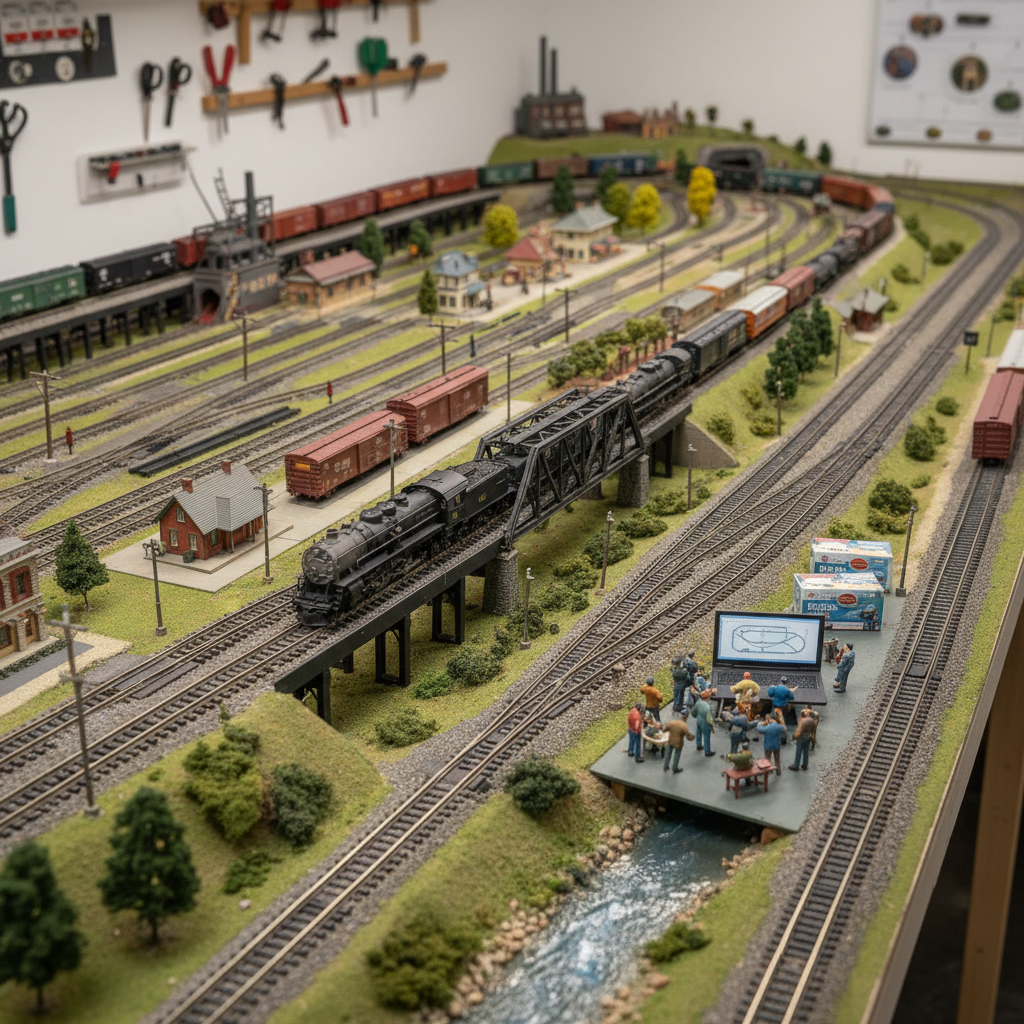
Finding the best track planning software before you lay a single piece of track can save you hundreds of dollars, dozens of hours, and an enormous amount of frustration. Whether you're a first-time hobbyist sketching out a modest oval layout on a 4×8 sheet of plywood or a seasoned modeler designing a multi-level empire with complex switching yards, the right digital planning tool transforms a guessing game into a precise, visual blueprint you can trust. In an era where model railroading has embraced technology at every level — from sound-equipped locomotives to computer-controlled DCC systems — track planning software has become one of the most valuable resources in any modeler's toolkit.
The variety of options available today can feel overwhelming, especially when you're just getting started. Some programs are free and browser-based, while others are full-featured desktop applications with price tags to match their capabilities. Some are tailored to specific scales, while others support everything from Z scale to G scale right out of the box. This guide cuts through the noise and gives you an honest, practical look at the leading track planning tools available in the market today, what makes each one stand out, and how to choose the right one for your specific situation.
Before we dive in, it's worth noting that great software is only one piece of the puzzle. Once your layout is planned, you'll also need reliable equipment and a solid understanding of your electrical setup. If you're new to the hobby, check out our guide on the best model train brands compared for beginners and collectors to make sure you're building on a solid foundation from the start.
Why Track Planning Software Matters
Laying track without a plan is a bit like building a house without blueprints. You might get something functional, but there's a good chance you'll run into costly surprises — grades too steep for your locomotives, curves too tight for your longest cars, or a loop that simply doesn't connect properly. Track planning software eliminates these problems before they happen by letting you virtually build, test, and refine your layout in a digital environment.
Modern planning tools also help you calculate important technical details automatically: minimum curve radii, grade percentages, clearance heights for tunnels and bridges, and even estimated costs based on track component quantities. These features alone make even a basic software program worth the learning curve.
The Real Cost of Poor Planning
Many hobbyists discover the hard way that model trains can be an expensive investment, and an unplanned layout compounds those costs significantly. Buying track sections you don't need, cutting benchwork incorrectly, or realizing your favorite locomotive can't navigate a curve you already built — these are avoidable mistakes. Even free track planning software pays for itself quickly when it keeps you from making expensive errors.
The Best Track Planning Software Options Available Today
1. XTrackCAD — Best Free Option for Serious Modelers
Price: Free (open-source) Platforms: Windows, macOS, Linux
XTrackCAD is arguably the most capable free track planning software available today. Originally developed in the 1990s and now maintained by an open-source community, it supports an impressive range of track libraries covering virtually every major manufacturer — Atlas, Kato, Walthers, Peco, and many more.
Key Features:
- Extensive manufacturer track libraries
- Supports all popular scales (N, HO, O, G, and more)
- Elevation and grade calculation tools
- Active community forum with downloadable layout examples
- Wiring diagram support
The learning curve on XTrackCAD is steeper than some competitors, but the community forums are active and helpful, and there are dozens of tutorial videos available online. For modelers on a budget who are willing to invest a few hours learning the interface, XTrackCAD delivers professional-grade results at no cost.
2. AnyRail — Best Overall for Ease of Use
Price: Free (limited to 50 pieces); Full license approximately $59 Platforms: Windows only
AnyRail consistently earns top marks in model railroad communities for its intuitive, drag-and-drop interface and remarkably comprehensive track library. With support for over 100 different track systems and manufacturers, it's hard to find a product that AnyRail doesn't support.
Key Features:
- Over 100 track libraries from major manufacturers
- Extremely user-friendly drag-and-drop interface
- 3D view for visualizing your finished layout
- Automatic error detection (gaps, overlaps, grade violations)
- Elevation and tunneling tools
The free version allows up to 50 track pieces — enough to plan a simple starter layout and get a genuine feel for the software. Most modelers working on medium to large layouts will want to purchase the full license, which is a one-time fee that includes lifetime updates. AnyRail is frequently the top recommendation in hobbyist forums, and for good reason: it strikes the best balance between power and accessibility.
3. SCARM — Best for 3D Visualization
Price: Free (basic); SCARM Pro approximately $25/year Platforms: Windows
SCARM (Simple Computer Aided Railway Modeller) is a strong contender when it comes to visualizing your layout in three dimensions. Its 3D rendering gives you a realistic preview of how your finished layout will look, which is especially useful for planning scenery, structures, and scenic backdrops alongside your track plan.
Key Features:
- Real-time 3D visualization
- Supports 70+ track systems
- Elevation and grade tools
- Includes terrain and landscape modeling
- Import/export to common formats
SCARM is particularly popular among European modelers, thanks to strong support for European track systems like Märklin and Fleischmann. The free version covers most basic needs, while the Pro subscription unlocks advanced terrain tools and additional export options.
4. Railroad & Co. TrainController — Best for Operations Integration
Price: Starts at approximately $109 (Bronze edition) Platforms: Windows
Railroad & Co. is a suite of software products that goes beyond track planning into full layout automation and DCC operations. If you're interested in computer-controlled operations where your software manages not just the plan but the actual running of trains, this platform is worth a serious look.
The TrainController component handles automated train dispatching, block detection, and signal control — making it a natural companion for modelers who are diving deep into DCC operations. Speaking of DCC, if you're still exploring your options for locomotive control, our guide on top DCC systems for model trains is a great place to start.
Key Features:
- Full DCC operations control
- Automated train scheduling and dispatching
- Signal and block detection integration
- Track planning tools included
- Suitable for advanced layouts
This isn't a beginner's tool, but for experienced modelers building operations-focused layouts, the investment is justified.
5. WinRail — Best for European Track Systems
Price: Approximately €80 Platforms: Windows
WinRail is a well-established German track planning program with exceptional support for European track manufacturers. It's not as widely discussed in North American communities, but it has a loyal following among modelers who work primarily with Märklin, Roco, Piko, and similar brands.
Key Features:
- Superior European track library support
- Clean, professional interface
- Grade and elevation tools
- Cost estimation based on component counts
If your layout is built around European prototype equipment and track, WinRail deserves a spot on your shortlist.
How to Choose the Right Track Planning Software
With so many options available, the decision ultimately comes down to a few key factors. Work through these questions before committing to any particular program.
Consider Your Experience Level
Beginners will benefit most from software with intuitive interfaces and plenty of built-in guidance, like AnyRail. Advanced modelers building complex multi-deck layouts may prefer the raw power of XTrackCAD or the operational depth of Railroad & Co. If you're brand new to the hobby, it's also worth reading our guide on top model train companies every beginner should know to get grounded in the broader landscape of the hobby.
Match Software to Your Scale and Manufacturer
Always verify that the software you choose includes a library for your specific track manufacturer. Most major programs support Atlas, Kato, Walthers, and Bachmann, but coverage for specialty or smaller brands can vary. Double-check before purchasing.
Think About Your Long-Term Goals
If you plan to automate your layout with DCC control, consider software that integrates with your command station from the beginning. For those exploring DCC systems for the first time, our beginner's guide to DCC systems provides an excellent foundation.
Budget Realistically
Free options like XTrackCAD and the base version of SCARM are genuinely capable programs. Spending money on software only makes sense if you've outgrown the free tools or if you need specific features that justify the cost. Check out our recommended products page for curated software and tool suggestions suited to different budgets.
Tips for Getting the Most Out of Track Planning Software
- Start simple. Begin with a basic loop and expand gradually rather than trying to design your dream layout on day one.
- Use the 3D view regularly. Rotating your layout in 3D reveals clearance issues and aesthetic problems that aren't obvious in top-down view.
- Save multiple versions. Keep different iterations of your plan as you develop it — you may want to revisit an earlier concept.
- Check grades carefully. Most software can calculate grade percentages automatically. A grade over 2% can challenge many locomotives, especially with long trains.
- Print to scale. Most programs let you print your layout plan on multiple sheets of paper taped together, which you can lay on your benchwork as a guide.
- Join the community. Forums like Model Railroader's online community and the Atlas forum are full of members willing to critique your plan and suggest improvements.
Once your plan is finalized and you start building, don't overlook track maintenance. Dirty track is one of the most common causes of operational problems, and our guide on how to clean model train tracks properly will help you keep your railroad running smoothly from day one.
Frequently Asked Questions
Is free track planning software good enough for most modelers?
Absolutely. Programs like XTrackCAD and the free tier of SCARM handle the needs of the vast majority of hobbyists. Unless you need advanced features like DCC operations integration or premium 3D terrain tools, free options are more than sufficient to plan even complex layouts.
Can track planning software work for all model railroad scales?
Most major programs support the popular scales — N, HO, O, and G — as well as many specialty scales. Always verify that the software includes a library for your specific scale and preferred track manufacturer before downloading or purchasing.
How long does it take to learn track planning software?
User-friendly programs like AnyRail can be picked up within a few hours. More powerful tools like XTrackCAD may take several days of practice to master. Most programs offer tutorial videos and active user communities to help flatten the learning curve.
Can I use track planning software on a Mac or tablet?
Most track planning software is designed primarily for Windows. XTrackCAD is a notable exception, offering native versions for macOS and Linux. For Mac users, running Windows in a virtual machine (using Parallels or similar) is a common workaround. Browser-based and mobile-friendly solutions are limited but emerging.
Do track planning programs include real manufacturer track dimensions?
Yes — this is one of their most valuable features. The best programs include accurate, manufacturer-supplied dimensions for every included track product, meaning the curves, straights, and turnouts in your digital plan match the real products exactly.
Conclusion
Choosing the best track planning software for your needs is one of the smartest investments you can make before a single spike hits the benchwork. Whether you go with the free power of XTrackCAD, the beginner-friendly interface of AnyRail, or the operations-integrated depth of Railroad & Co., the right tool will save you money, prevent costly mistakes, and make the entire layout-building process more enjoyable.
Take your time with the planning phase — experienced modelers will tell you it's one of the most satisfying parts of the hobby. Experiment with different configurations, consult your fellow hobbyists, and don't be afraid to start over when a better idea strikes.
When you're ready to move beyond track planning, Model Train Insider has you covered with guides on everything from selecting the right locomotives to understanding DCC control systems. Explore our full library of guides, and if you're looking for product recommendations tailored to every budget, visit our recommended products page for our latest picks.
Happy modeling — and may your grades be gentle and your curves be smooth.
Affiliate Disclosure: Some links in this article are affiliate links. We may earn a commission at no extra cost to you.
Enjoying this guide?
Browse our favorite recommended products.
James Mitchell
Model Train Enthusiast & Writer
James has been building layouts and collecting trains for over 15 years. He started Model Train Insider to help newcomers navigate the hobby with practical, no-nonsense advice drawn from hands-on experience.
Stay on Track
Get beginner guides, brand reviews, and layout tips delivered to your inbox. No spam—just trains.
Free forever. Unsubscribe anytime.
Related Articles
The Best HO Scale Track Options: A Guide to Building a Reliable Layout
Discover the best HO scale track options for your model railroad. Learn which brands offer the most reliability and realism for your dream layout design.
Read more
HO Scale vs N Scale: A Comprehensive Guide to Choosing the Perfect Model Train Size
Struggling to choose between HO and N scale? Our in-depth comparison covers space requirements, detail levels, and pros and cons to help you decide.
Read more
Illuminate Your Layout: The Best Model Train Lighting Options
Discover the best lighting options for model trains to enhance your layout's realism and beauty!
Read more